Skip to content
Support Your Tech
  • Windows
  • Office
    • All Office guides
    • Excel
    • Word
    • PowerPoint
  • Apple
    • All Apple guides
    • iPhone
    • Apple Watch
  • Google
    • All Google guides
    • Google Docs
    • Google Sheets
    • Gmail
    • Chrome
    • Google Slides
  • Android
  • Streaming

Avatar of Matt JacobsMatt Jacobs

Matt Jacobs writes and maintains the guides on Support Your Tech, which he started in 2017. He spent most of his career keeping small-business PCs running and still takes the occasional consulting job, so the steps here come from fixing the same problems on other people's computers. Every guide is checked on his own Windows 11, Windows 10, Mac, iPhone and iPad before it goes up.
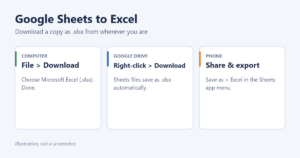
Three ways to download a Google Sheet as an Excel file: File menu, Google Drive, or the Sheets mobile app

How to Download a Google Sheet as an Excel File

November 9, 2026January 3, 2024 by Matt Jacobs

Use File > Download > Microsoft Excel (.xlsx) in Google Sheets, or download from Drive or your phone. Plus what doesn’t convert and how to keep formatting. Continue Reading How to Download a Google Sheet as an Excel File

Categories Sheets
What the lock icons at the top of an iPhone screen mean: portrait orientation lock, phone locked, and unlocked by Face ID

What Is the Lock Icon at the Top of My iPhone Screen?

November 9, 2026January 3, 2024 by Matt Jacobs

A lock with a circular arrow means Portrait Orientation Lock is on; turn it off in Control Center. A plain padlock means your iPhone is locked. Continue Reading What Is the Lock Icon at the Top of My iPhone Screen?

Categories iPhone

How to Turn Off Zoom on Apple Watch

November 9, 2026January 3, 2024 by Matt Jacobs

To turn off Zoom on Apple Watch, open the Settings app on the watch, tap Accessibility > Zoom, and turn off the Zoom switch. If… Continue Reading How to Turn Off Zoom on Apple Watch

Categories Apple Watch

Why Is My iPhone Battery Icon Yellow? The Ultimate Guide

November 9, 2026January 3, 2024 by Matt Jacobs

A yellow battery icon on your iPhone means Low Power Mode is on. Nothing is wrong with the battery. To turn it off on an… Continue Reading Why Is My iPhone Battery Icon Yellow? The Ultimate Guide

Categories iPhone

How to Turn Off Attention Aware Features on iPhone

November 9, 2026December 26, 2023 by Matt Jacobs

To turn off Attention Aware features on an iPhone, go to Settings > Face ID & Passcode, enter your passcode, and turn off Attention Aware… Continue Reading How to Turn Off Attention Aware Features on iPhone

Categories iPhone
Illustration of how to drop a pin on an iPhone: touch and hold the map, adjust the location, then share or save the pin

How to Drop a Pin on an iPhone

November 9, 2026December 22, 2023 by Matt Jacobs

Drop a pin on iPhone by touching and holding the map in Apple Maps or Google Maps, then share it, save it to Places or get directions. Continue Reading How to Drop a Pin on an iPhone

Categories iPhone
Steps and trade-offs for turning off the iPhone passcode

How to Turn Off the Passcode on iPhone (iOS 17 and Later)

November 9, 2026December 14, 2023 by Matt Jacobs

Turn off your iPhone passcode in Settings > Face ID & Passcode > Turn Passcode Off. Turn off Stolen Device Protection first, and know what you lose before you do it. Continue Reading How to Turn Off the Passcode on iPhone (iOS 17 and Later)

Categories iPhone

How to Turn Off the Pop-Up Blocker on iPhone

November 9, 2026December 14, 2023 by Matt Jacobs

To turn off the pop-up blocker on iPhone, go to Settings > Apps > Safari (Settings > Safari on iOS 17 and earlier) and turn… Continue Reading How to Turn Off the Pop-Up Blocker on iPhone

Categories iPhone

How to Turn Silent Mode On or Off on iPhone 14

November 9, 2026December 6, 2023 by Matt Jacobs

To turn silent mode on or off on your iPhone 14, use the Ring/Silent switch on the left side of your iPhone. Flip the switch… Continue Reading How to Turn Silent Mode On or Off on iPhone 14

Categories iPhone
How to screen record on iPhone: add the Screen Recording control, tap it to record, and tap the red indicator to stop

How to Screen Record on iPhone

November 9, 2026November 19, 2023 by Matt Jacobs

Add Screen Recording to Control Center, tap it to record, and tap the red indicator to stop. Plus how to record your voice and fix recordings with no sound. Continue Reading How to Screen Record on iPhone

Categories iPhone

How to Center Text in Word for Office 365

November 9, 2026November 16, 2023 by Matt Jacobs

To center text in Word for Microsoft 365 (the current name for Office 365), select the text and press Ctrl + E, or select Center… Continue Reading How to Center Text in Word for Office 365

Categories Word
Steps to change the passcode on iPhone 14

How to Change Passcode on iPhone 14

November 9, 2026November 15, 2023 by Matt Jacobs

Open Settings > Face ID & Passcode, tap Change Passcode, enter the old one and then the new one twice. Plus passcode types, the 72-hour safety net and fixes. Continue Reading How to Change Passcode on iPhone 14

Categories iPhone

How to Turn Off Do Not Disturb on iPhone 14

November 9, 2026November 2, 2023 by Matt Jacobs

To turn off Do Not Disturb on iPhone 14, swipe down from the top-right corner to open Control Center and tap the Do Not Disturb… Continue Reading How to Turn Off Do Not Disturb on iPhone 14

Categories iPhone

How to Create a New Notes Folder on an iPhone 14

November 9, 2026November 1, 2023 by Matt Jacobs

To create a new Notes folder on an iPhone 14, open Notes, tap the back arrow until you reach the Folders list, then tap the… Continue Reading How to Create a New Notes Folder on an iPhone 14

Categories iPhone
Ways to add a new contact on iPhone

How to Create a New Contact on iPhone

November 9, 2026October 31, 2023 by Matt Jacobs

Open Contacts, tap +, add the name and number and tap Done. Or save a number from a call, a message, Mail or another iPhone with NameDrop. Continue Reading How to Create a New Contact on iPhone

Categories iPhone
how to disable iPhone 13 driving mode

How to Disable iPhone 13 Driving Mode

November 9, 2026October 10, 2023 by Matt Jacobs

Toggle Driving Mode on and off on an iPhone by opening the Control Center, tapping and holding the Focus button, and then selecting the Driving… Continue Reading How to Disable iPhone 13 Driving Mode

Categories iPhone
iphone 7 quick way low power mode 5 Is There a Quick Way to Enable Low Power Mode on My iPhone 7?

Is There a Quick Way to Enable Low Power Mode on My iPhone 7?

November 9, 2026April 12, 2023 by Matt Jacobs

Yes. The quickest way to turn on Low Power Mode on an iPhone 7 is a button in Control Center. Add it once by going… Continue Reading Is There a Quick Way to Enable Low Power Mode on My iPhone 7?

Categories iPhone
how to turn on the iphone 13 iMessage feature

How to Turn on the iPhone 13 iMessage Feature

November 9, 2026March 20, 2023 by Matt Jacobs

To turn on iMessage on an iPhone 13, open Settings, tap Apps, tap Messages, and turn on the iMessage switch at the top of the… Continue Reading How to Turn on the iPhone 13 iMessage Feature

Categories iPhone
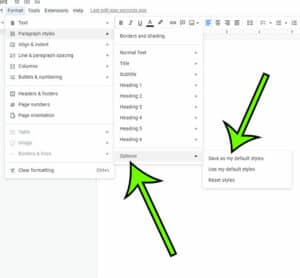
how to change Google Docs default font

How to Set Your Default Font in Google Docs

November 5, 2026March 7, 2023 by Matt Jacobs

If you changed the font and the next new document still opened in Arial, or an old document did not change, you did half the… Continue Reading How to Set Your Default Font in Google Docs

Categories Docs
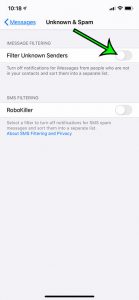
what is unknown senders messages iphone 4 Why Your iPhone Screens Texts From Unknown Senders

Why Your iPhone Screens Texts From Unknown Senders

November 6, 2026November 29, 2022 by Matt Jacobs

After an iOS update, Messages may start sorting texts from numbers you don’t know into a separate Unknown Senders list, so a text you were… Continue Reading Why Your iPhone Screens Texts From Unknown Senders

Categories iPhone Tags Messages
How to hard reset (force restart) an iPhone 13: press Volume Up, press Volume Down, hold the side button until the Apple logo, then use recovery mode or a factory reset if needed

How to Hard Reset an iPhone 13

November 9, 2026November 11, 2022 by Matt Jacobs

Hard reset (force restart) an iPhone 13: press Volume Up, press Volume Down, then hold the side button until the Apple logo appears. Plus recovery mode and how to factory reset. Continue Reading How to Hard Reset an iPhone 13

Categories iPhone Tags General
Ways to print a Word document without comments

How to Print a Clean Word Document With No Comments Showing

November 5, 2026October 5, 2022 by Matt Jacobs

In File > Print, open Print All Pages and clear Print Markup. Here is how to print or save a PDF without comments on Windows, Mac and the web, and how to delete them for good. Continue Reading How to Print a Clean Word Document With No Comments Showing

Categories Word Tags Word Objects
What Delivered, Read and other message statuses mean on iPhone

What Delivered Means Under an iPhone Message and What to Do

November 6, 2026September 7, 2022 by Matt Jacobs

Delivered means your iMessage reached the other person’s device, not that they read it. Here is what Read, Delivered Quietly and no status mean, and how read receipts work. Continue Reading What Delivered Means Under an iPhone Message and What to Do

Categories iPhone Tags Messages
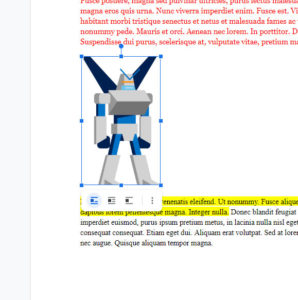
how to rotate an image in Google Docs

How to Rotate a Picture in Google Docs (Computer and Phone)

November 9, 2026July 2, 2022 by Matt Jacobs

To rotate a picture in Google Docs, click the picture, then drag the small circle (the rotation handle) at the top of its blue border… Continue Reading How to Rotate a Picture in Google Docs (Computer and Phone)

Categories Docs Tags Docs Pictures
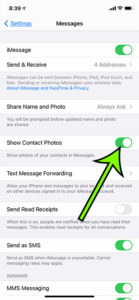
how to show contact pictures next to text messages on an iPhone

How to Show Contact Photos in Messages on an iPhone 11

November 9, 2026July 1, 2022 by Matt Jacobs

To show contact photos in Messages on an iPhone, open Settings, choose Messages (Apps > Messages on iOS 18 and later), and turn on Show… Continue Reading How to Show Contact Photos in Messages on an iPhone 11

Categories iPhone Tags Messages
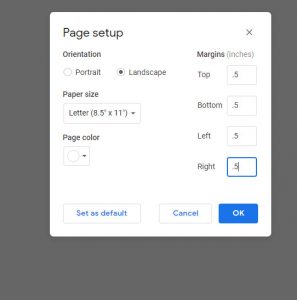
how change margins google docs 4 How to Change Margins in Google Docs (A Quick 4 Step Guide)

How to Change Margins in Google Docs (A Quick 4 Step Guide)

November 5, 2026May 31, 2022 by Matt Jacobs

The default margins for a document that you create in Google Docs will be one inch on all sides. For many schools and organizations, this… Continue Reading How to Change Margins in Google Docs (A Quick 4 Step Guide)

Categories Docs Tags Docs Formatting
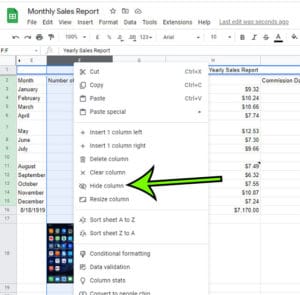
how to hide a Google Sheets column or row

How to Hide Columns in Google Sheets

November 9, 2026January 25, 2022 by Matt Jacobs

You can hide a row or column in Google Sheets by selecting the row number or column letter, then right-clicking on it and choosing Hide… Continue Reading How to Hide Columns in Google Sheets

Categories Sheets Tags Sheets Display
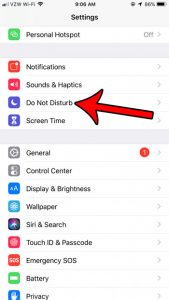
what does do not disturb do iphone 2 What Does Do Not Disturb Do on an iPhone 7?

What Does Do Not Disturb Do on an iPhone 7?

November 9, 2026September 5, 2019 by Matt Jacobs

Do Not Disturb keeps your iPhone 7 quiet without turning anything off. Calls, alerts and notifications still arrive, but they don’t ring, vibrate or light… Continue Reading What Does Do Not Disturb Do on an iPhone 7?

Categories iPhone
Newer posts
← Previous Page1 … Page34 Page35

New guides, by email

One short email when a new guide goes up. No deals, no spam.

Unsubscribe with one click, any time.
Privacy policy

SupportYourTech

Clear, tested instructions for the devices and apps you use every day, written by Matt Jacobs.

Help centers

  • Windows
  • Microsoft Office
  • Apple
  • Google
  • Android
  • Streaming

Popular topics

  • Excel
  • Word
  • PowerPoint
  • iPhone
  • Apple Watch
  • Google Docs
  • Google Sheets
  • Gmail

[email protected]
4842931513
1 E Broad St
Ste 130 - 1107
Bethlehem, PA 18018
United States

  • Privacy Policy
  • Affiliate Disclaimer
  • Contact Us
  • About Us
© SupportYourTech.com 2026
  • Windows
  • Office
    • All Office guides
    • Excel
    • Word
    • PowerPoint
  • Apple
    • All Apple guides
    • iPhone
    • Apple Watch
  • Google
    • All Google guides
    • Google Docs
    • Google Sheets
    • Gmail
    • Chrome
    • Google Slides
  • Android
  • Streaming