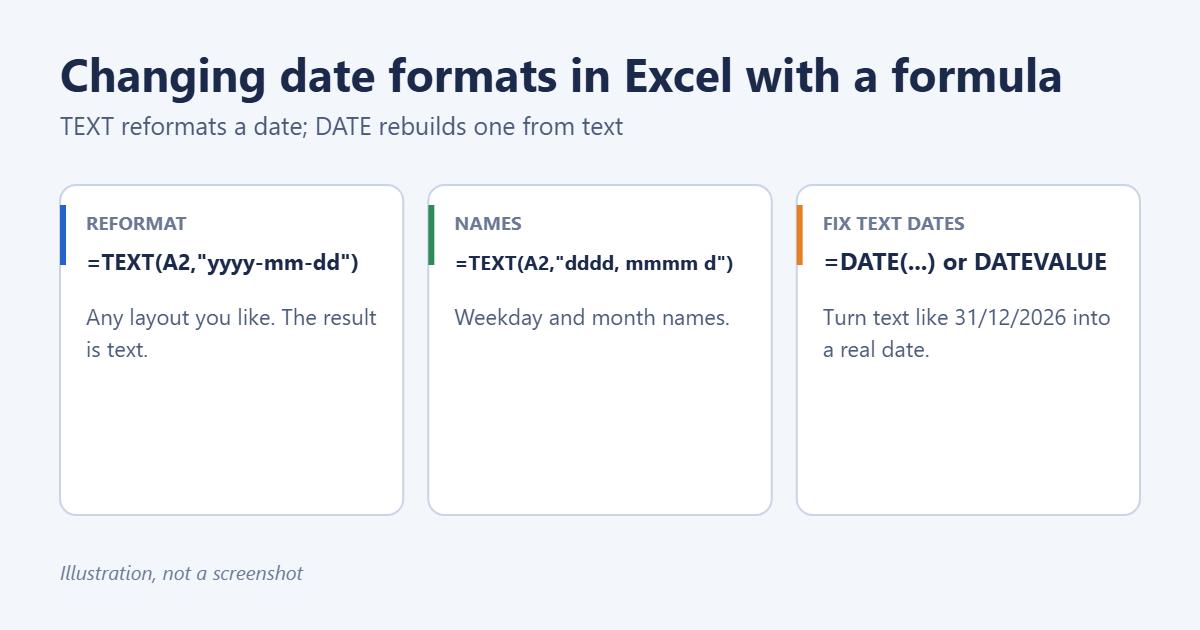
To change a date’s format in Excel with a formula, use the TEXT function: =TEXT(A2,"yyyy-mm-dd") turns the date in A2 into 2026-03-15, and =TEXT(A2,"dddd, mmmm d, yyyy") gives Sunday, March 15, 2026. TEXT returns text, so it’s ideal for labels and combined strings. If you need the result to stay a real date you can calculate with, use Format Cells instead. And if your “dates” are actually text that Excel doesn’t recognize, rebuild them with DATE or DATEVALUE. All three are covered below.
Method 1: The TEXT function
The syntax is =TEXT(value, "format_code"). With a date in A2:
=TEXT(A2,"mm/dd/yyyy")→ 03/15/2026=TEXT(A2,"dd/mm/yyyy")→ 15/03/2026=TEXT(A2,"yyyy-mm-dd")→ 2026-03-15=TEXT(A2,"d mmm yyyy")→ 15 Mar 2026=TEXT(A2,"mmmm d, yyyy")→ March 15, 2026=TEXT(A2,"dddd")→ Sunday=TEXT(A2,"mmm-yy")→ Mar-26
Format codes
- d = 5, dd = 05, ddd = Sun, dddd = Sunday
- m = 3, mm = 03, mmm = Mar, mmmm = March
- yy = 26, yyyy = 2026
- Add time with h:mm AM/PM or hh:mm, for example
=TEXT(A2,"yyyy-mm-dd hh:mm").
Combine a date with text
If you join a date to text without TEXT, Excel shows the underlying serial number, such as “Due: 46096.” Wrap the date in TEXT to fix it: Other ways to join cells, including TEXTJOIN and line breaks, are in this concatenation walkthrough for Excel.
="Due: "&TEXT(A2,"mmmm d, yyyy") → Due: March 15, 2026
Method 2: Format Cells (keeps it a real date)
TEXT output can’t be sorted as dates or used in date math. To change only how a date looks while keeping it a date: When you only need the month, such as a number for formulas or a name for labels, see how to convert a date to a month in Excel.
- Select the cells and press Ctrl + 1.
- On the Number tab, choose Date and pick a format, or choose Custom and type a code such as yyyy-mm-dd in the Type box.
- Click OK.
The quickest options are also in the Home tab’s Number Format drop-down: Short Date and Long Date.
Method 3: Convert text to real dates
Dates imported from other systems are often stored as text. They’re usually left-aligned, and formulas like =A2+1 return #VALUE!.
- Text in your system’s date format:
=DATEVALUE(A2)converts it. Format the result as a date. - Text in a different order, such as day/month/year on a US system, for example “15/03/2026”:
=DATE(RIGHT(A2,4),MID(A2,4,2),LEFT(A2,2)) - Compact text like “20260315”:
=DATE(LEFT(A2,4),MID(A2,5,2),RIGHT(A2,2))
Without formulas, select the column, choose Data > Text to Columns, click Next twice, choose Date with the order your text uses (such as DMY), and click Finish. More conversion methods are in converting the date format in Excel.
Convert the formula results to values
To replace the original dates with the reformatted versions, copy the formula column, then right-click the destination and choose Paste Special > Values. Delete the helper column afterward.
Troubleshooting
TEXT shows the wrong month or “mm” as minutes
In format codes, “m” right after “h” or before “ss” means minutes. Write dates as mm/dd or use mmm to avoid confusion.
The result shows ####
The column is too narrow. Double-click the column border to widen it.
Format codes don’t work in my language
In some non-English versions of Excel, TEXT uses localized codes, such as “JJJJ” for the year in German Excel. Use the codes shown in your Format Cells > Custom list.
Frequently asked questions
Why does Excel show dates as numbers?
Excel stores dates as serial numbers counting days from January 1, 1900. Apply a date format to display them as dates.
Can I change all dates in a workbook at once?
Not with one setting. Select each date range and apply a format, or change your Windows regional date format, which affects cells using the default Short Date format.
What about adding days or years to a date?
Date math uses different formulas. Start with adding one year to a date or calculating the difference between two dates and times.
Summary
Use =TEXT(A2,”format”) to display a date in any layout as text, Format Cells (Ctrl + 1) to change a date’s appearance while keeping it a date, and DATE or DATEVALUE to turn text into real dates.
Switching between US and European layouts? Read about changing mm/dd/yyyy to dd/mm/yyyy. Once the dates are real dates, you can sort them in ascending order.

Matt Jacobs has been working as an IT consultant for small businesses since receiving his Master’s degree in 2003. While he still does some consulting work, his primary focus now is on creating technology support content for SupportYourTech.com.
His work can be found on many websites and focuses on topics such as Microsoft Office, Apple devices, Android devices, Photoshop, and more.