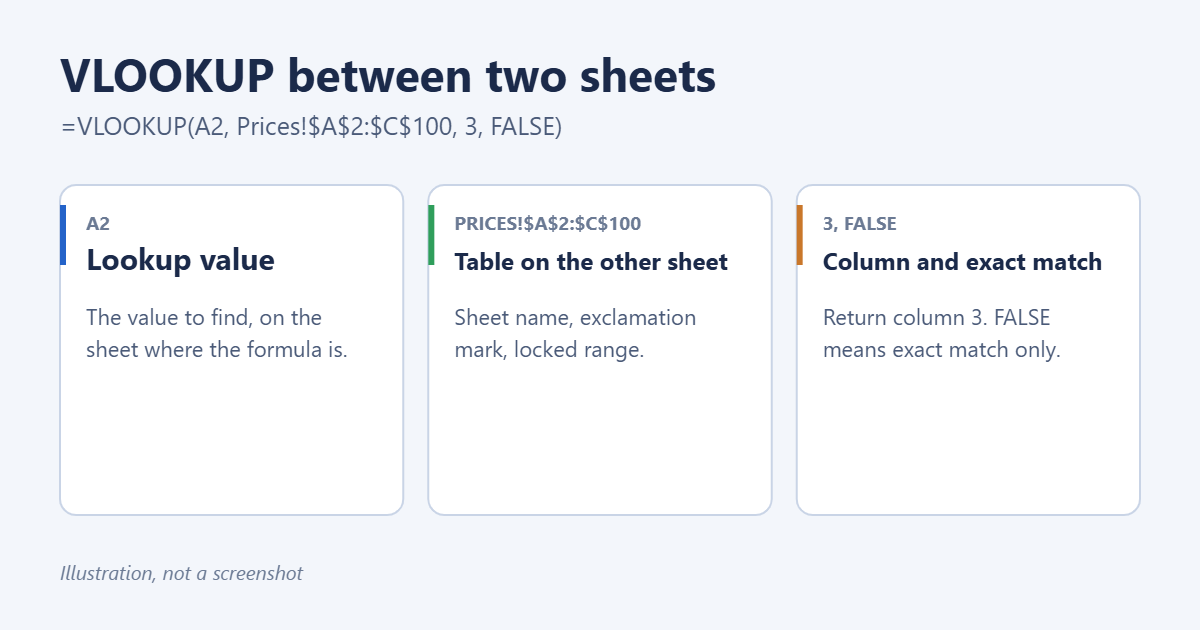
To do a VLOOKUP between two sheets in Excel, type =VLOOKUP( on the first sheet, click the value to look up, then click the other sheet’s tab and select the table there. Excel adds the sheet name for you, for example =VLOOKUP(A2,Prices!$A$2:$C$100,3,FALSE). The only difference from a normal VLOOKUP is the sheet name and exclamation mark in front of the range.
Applies to: Excel for Microsoft 365, Excel 2024, 2021, 2019 and 2016 on Windows and Mac, and Excel for the web. Last reviewed October 8, 2026.
Example setup
Say Orders has product codes in column A, and Prices has codes in column A, names in column B and prices in column C. You want each order’s price in column D of Orders.
Step-by-step
- On the Orders sheet, click cell D2.
- Type =VLOOKUP(
- Click A2, the code to look up, and type a comma.
- Click the Prices sheet tab and select A2:C100. The formula bar shows Prices!A2:C100.
- Press F4 to lock the range so it reads Prices!$A$2:$C$100. Without this, the range shifts down when you copy the formula. Type a comma.
- Type 3, the column in the selected range that holds the price, then a comma.
- Type FALSE for an exact match and ), then press Enter. Excel takes you back to Orders.
- Double-click the fill handle at the bottom-right corner of D2 to copy the formula down.
The column you look up in must be the first column of the range. Here that’s codes in column A of Prices. Counting for the column number starts from that first column, not from column A of the sheet.
Sheet names with spaces
If the sheet name has spaces or symbols, Excel wraps it in single quotes: =VLOOKUP(A2,’Price List’!$A$2:$C$100,3,FALSE). Clicking the tab adds the quotes automatically, so you only need them if you type the formula by hand.
VLOOKUP from another workbook
Open both files, start the formula, and switch to the other workbook with View > Switch Windows to select the range. Excel writes something like [Prices.xlsx]Sheet1!$A$2:$C$100. If the source file is closed, the full file path appears, and the values update when you open it or refresh them from Data > Workbook Links (Edit Links in older versions).
Use XLOOKUP instead if you can
In Excel 365, 2021 and 2024, XLOOKUP is easier and doesn’t need the lookup column to be first:
=XLOOKUP(A2,Prices!$A$2:$A$100,Prices!$C$2:$C$100,"Not found")It also doesn’t break if someone inserts a column in the price table. See how to use XLOOKUP with two sheets.
Handle missing values
When a code isn’t on the other sheet, VLOOKUP returns #N/A. Wrap it in IFERROR to show something friendlier:
=IFERROR(VLOOKUP(A2,Prices!$A$2:$C$100,3,FALSE),"Not found")To list which codes are missing from one sheet or the other, see how to compare two sheets in Excel for matches.
Troubleshooting
#N/A even though the value is there
- One sheet stores the codes as text and the other as numbers. Look for green triangles and use Convert to Number, or make both the same format.
- There are extra spaces. Use =VLOOKUP(TRIM(A2),…) or clean the source data.
- The range isn’t locked and has slid down past the data. Add dollar signs with F4.
#REF!
The column number is larger than the number of columns in the range. With A2:C100, the highest allowed is 3.
Wrong values come back
The last argument is missing or TRUE, so Excel returned an approximate match. Add FALSE.
The formula shows instead of the result
The cell is formatted as Text. Change it to General and re-enter the formula.
Frequently asked questions
Can VLOOKUP return more than one column?
Yes, with one formula per column or an array of column numbers in Excel 365. See how to use VLOOKUP for multiple columns.
Can I look up from several sheets at once?
Nest the lookups: =IFERROR(VLOOKUP(A2,Sheet2!A:C,3,FALSE),VLOOKUP(A2,Sheet3!A:C,3,FALSE)) checks Sheet2 first, then Sheet3.
Is this different from referencing a cell on another sheet?
Yes. A plain reference like =Prices!C2 always points to one cell, as explained in how to reference a cell from another sheet. VLOOKUP searches for a matching row first. For the basics, see how to do a VLOOKUP in Excel.
Related: how to reference a tab name in Excel.
Related: how to do an XLOOKUP in Excel.
Related: How to Merge Two Tables in Excel.

Matt Jacobs has been working as an IT consultant for small businesses since receiving his Master’s degree in 2003. While he still does some consulting work, his primary focus now is on creating technology support content for SupportYourTech.com.
His work can be found on many websites and focuses on topics such as Microsoft Office, Apple devices, Android devices, Photoshop, and more.