Opening ICA files on Windows 10 is simple with the right tools. You’ll need to install Citrix Workspace, which is the primary software used to open these files. Once installed, you can easily access your ICA files and connect to virtual desktops or applications. Just follow the steps below to get started and you’ll be up and running in no time.
How to Open ICA Files on Windows 10
Let’s dive into the steps to open ICA files on Windows 10. By the end of this guide, you’ll have Citrix Workspace installed and be ready to connect to virtual environments.
Step 1: Download Citrix Workspace
First, download the Citrix Workspace app from the official Citrix website.
Make sure to download the latest version to ensure compatibility with your system. This app is essential for accessing ICA files and connecting to remote desktops or applications.
Step 2: Install Citrix Workspace
Second, run the downloaded file to install Citrix Workspace on your computer.
Follow the on-screen instructions to complete the installation. This software will enable your computer to recognize and open ICA files seamlessly.
Step 3: Configure Citrix Workspace
Next, open Citrix Workspace and configure your account settings.
You’ll need to log in with your credentials provided by your organization or service. Proper configuration is crucial for accessing the virtual environment you need.
Step 4: Locate the ICA File
Then, find the ICA file you wish to open on your computer.
Usually, ICA files are downloaded from a network portal. Make sure you know where your browser saves downloads, so you can easily locate the file.
Step 5: Open the ICA File
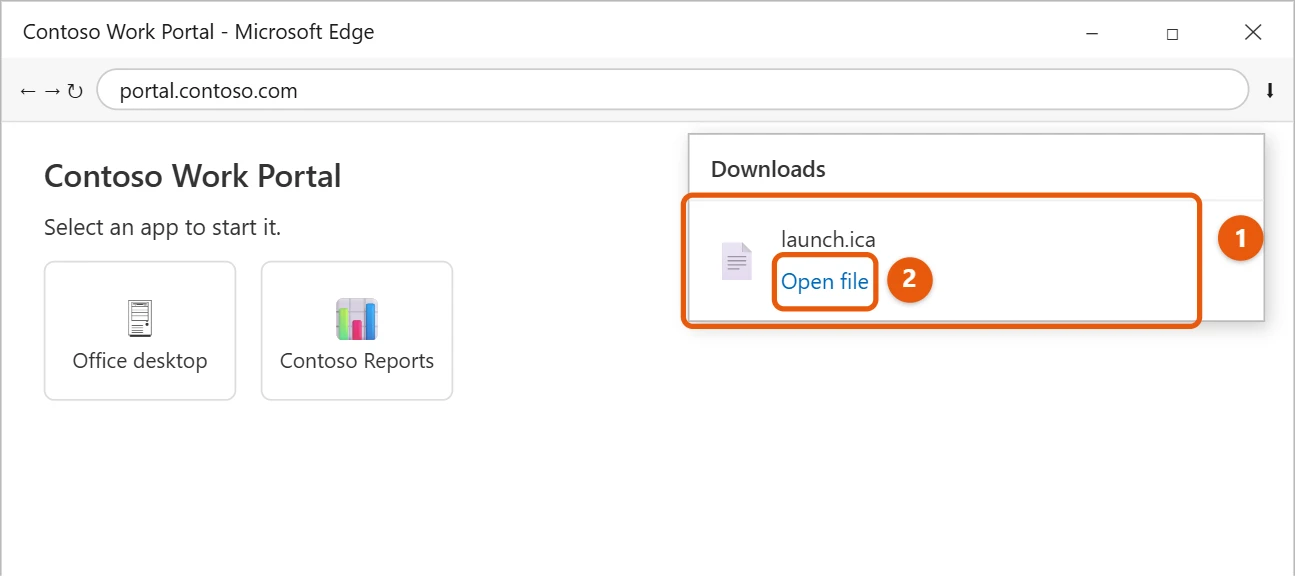
Finally, double-click the ICA file to open it with Citrix Workspace.
Your virtual desktop or application will launch, allowing you to interact with it just like you would on a local machine.
Once you’ve completed these steps, Citrix Workspace will connect to the server associated with the ICA file. You’ll have access to whatever resources the file provides, like applications or full desktops, right from your Windows 10 computer.
Tips for Opening ICA Files on Windows 10
- Always ensure that Citrix Workspace is up-to-date for the best performance and security.
- Use a stable internet connection to prevent interruptions when accessing virtual desktops or applications.
- Familiarize yourself with Citrix Workspace settings for optimized performance.
- Keep your login credentials secure to protect your account.
- If you encounter issues, check Citrix’s support resources for troubleshooting.
Frequently Asked Questions
What is an ICA file?
An ICA file is a configuration file used by Citrix Workspace to connect to virtual desktops or applications.
Can I open ICA files without Citrix Workspace?
No, you’ll need Citrix Workspace to properly open and use ICA files.
What should I do if my ICA file won’t open?
Ensure Citrix Workspace is installed and if issues persist, check your internet connection or contact support.
Why do I need a Citrix account?
A Citrix account is necessary for authentication and to access specific virtual resources.
Is it safe to use Citrix Workspace?
Yes, as long as you download it from the official site and keep it updated, it’s safe to use.
Summary
- Download Citrix Workspace.
- Install Citrix Workspace.
- Configure the app.
- Locate the ICA file.
- Open the ICA file.
Conclusion
Opening ICA files on Windows 10 can seem like a daunting task at first, but with a little guidance, it becomes a breeze. By using Citrix Workspace, you gain access to a world of virtual environments right from your desktop. Whether you’re connecting to work applications or exploring new software, these steps will have you navigating the digital landscape with ease.
Staying informed and prepared is half the battle. Remember, keeping your software updated and your credentials secure will help ensure a smooth experience. If you’re interested in exploring more about Citrix or virtual environments, consider checking out online tutorials or community forums for additional insights.
Now that you’re equipped with this knowledge, dive into the world of ICA files and virtual desktops with confidence. Happy computing!

Matt Jacobs has been working as an IT consultant for small businesses since receiving his Master’s degree in 2003. While he still does some consulting work, his primary focus now is on creating technology support content for SupportYourTech.com.
His work can be found on many websites and focuses on topics such as Microsoft Office, Apple devices, Android devices, Photoshop, and more.