The quickest way to count rows in Excel is to click the column letter of a column that has no blank cells, such as an ID or name column, and read the Count in the status bar at the bottom of the window. Subtract one if the column has a header. For a number you can use in a formula, type =COUNTA(A2:A500) or =ROWS(A2:A500). To count only the rows left after filtering, use =SUBTOTAL(103,A2:A500).
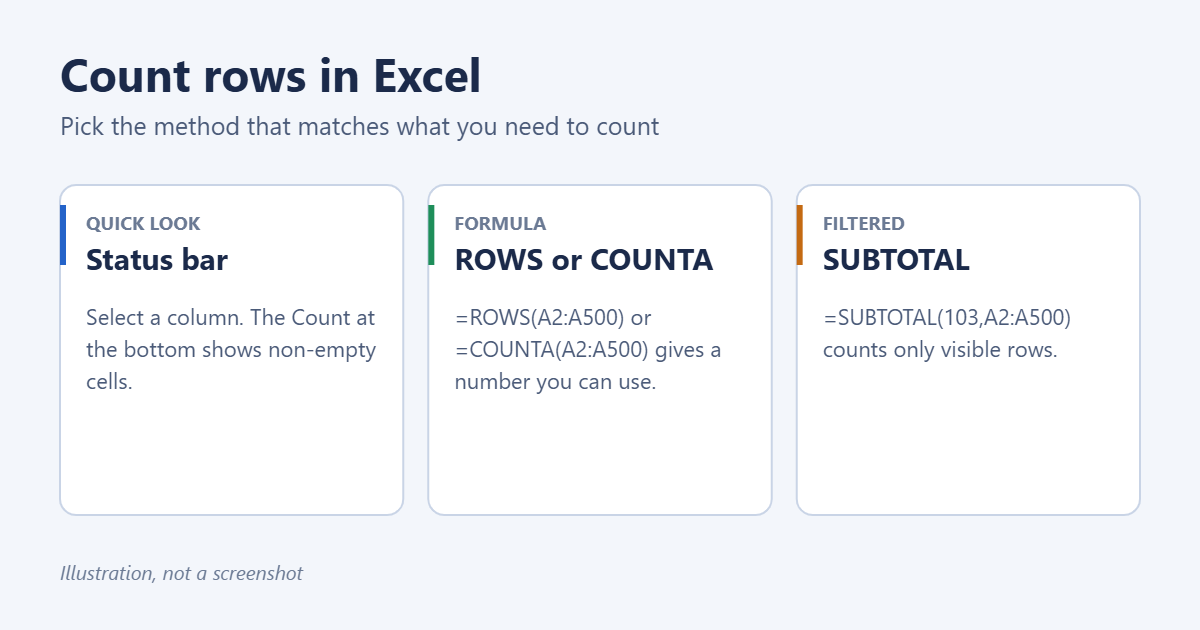
Method 1: The status bar
- Click the letter at the top of a column that has a value in every row.
- Look at the bottom-right of the Excel window. Count shows how many cells in the selection are not empty.
- Subtract 1 for the header row.
If Count doesn’t appear, right-click the status bar and check Count. Note that it skips blank cells, so a column with gaps gives a lower number than the real row count. Pick a column that’s always filled in, or select the whole data range and use the row number method below.
Method 2: Find the last row number
Click any cell in the first column of your data and press Ctrl + Down Arrow. Excel jumps to the last filled cell before a blank. The row number on the left tells you where the data ends. If your data starts in row 2 under a header, the number of data rows is that row number minus 1. Blank cells stop the jump early, so press it again if the number looks too small.
Method 3: Formulas
| What you want | Formula | Notes |
|---|---|---|
| Rows that have something in column A | =COUNTA(A2:A500) | Counts text, numbers and dates. Skips blanks. |
| Rows that hold numbers | =COUNT(A2:A500) | Ignores text cells. |
| Every row in a range | =ROWS(A2:A500) | Counts rows whether they are empty or not. |
| Blank rows in a column | =COUNTBLANK(A2:A500) | Useful for finding gaps. |
| Rows that meet a condition | =COUNTIF(C2:C500,"Paid") | Use COUNTIFS for two or more conditions. |
| Unique values (Microsoft 365) | =ROWS(UNIQUE(A2:A500)) | Counts each distinct entry once. |
You can use whole columns, like =COUNTA(A:A)-1, so new rows are counted automatically. The -1 removes the header. Avoid this if there’s anything else in the column below your data, such as totals or notes.
For counting how often a specific value appears, see how to count the number of occurrences in Excel. For cells rather than rows, see how to count the number of cells in Excel.
Method 4: Count rows in a filtered list
When you filter data, the status bar shows a message like “15 of 240 records found” for a moment. For a number that stays on the sheet and updates as you change the filter, use:
=SUBTOTAL(103,A2:A500)
103 tells SUBTOTAL to count non-empty cells and skip rows hidden by a filter or hidden by hand. Use 3 instead of 103 if you want rows you hid manually to be included. For counts based on cell color, see how to count highlighted cells in Excel.
Method 5: Count rows in an Excel table
If your data is formatted as a table (how to create a table in Excel), you can refer to it by name, and the formula grows with the table:
=ROWS(Table1)counts all data rows, not including the header.- Turn on Table Design > Total Row and set the total in any column to Count. It counts only the rows visible after filtering.
How many rows can Excel hold?
Each worksheet in Excel 2007 and later has 1,048,576 rows and 16,384 columns. Press Ctrl + Down Arrow in an empty column to jump to the last one. If you need more than that, use Power Query or Power Pivot, which handle millions of rows without placing them on a sheet.
Troubleshooting
COUNTA counts more rows than I can see
Some cells look empty but contain a space, an apostrophe or a formula that returns “”. COUNTA counts all of these. Use =SUMPRODUCT(--(LEN(TRIM(A2:A500))>0)) to count only cells with visible content.
The status bar shows Average or Sum but no Count
Right-click the status bar and check Count. Numerical Count is a separate option that counts only numbers.
The count is off by one
You probably included the header row. Start the range at row 2, or subtract 1.
Frequently asked questions
How do I count rows with data across several columns?
Add a helper column with =COUNTA(A2:D2)>0, copy it down, and count the TRUE values with =COUNTIF(E2:E500,TRUE). In Excel for Microsoft 365 you can skip the helper column with =SUM(--(BYROW(A2:D500,LAMBDA(r,COUNTA(r)))>0)).
How do I count hidden rows?
Subtract the visible count from the total: =ROWS(A2:A500)-SUBTOTAL(103,A2:A500). To show hidden rows again, see how to unhide all rows in Excel.
Summary
- Quick check: select a column and read Count in the status bar.
- Formula:
=COUNTA(A2:A500)for filled rows,=ROWS(A2:A500)for every row. - Filtered data:
=SUBTOTAL(103,A2:A500). - Tables:
=ROWS(Table1).
Related: select only visible cells in Excel.
Related: How to Number a Column in Excel.
Related: how to make all the rows the same height in Excel.

Matt Jacobs has been working as an IT consultant for small businesses since receiving his Master’s degree in 2003. While he still does some consulting work, his primary focus now is on creating technology support content for SupportYourTech.com.
His work can be found on many websites and focuses on topics such as Microsoft Office, Apple devices, Android devices, Photoshop, and more.