There’s no single program that opens every BIN file, because .bin just means “binary data”. What you do depends on what the file is. Most BIN files you’ll come across are CD or DVD disc images, usually with a matching .cue file. You can open these by mounting them with a free virtual drive tool, extracting them with an archive tool such as 7-Zip, or converting them to ISO. A BIN file that came with a router, printer or motherboard is firmware, which you install with the manufacturer’s update tool rather than open. And a BIN email attachment is usually a file that didn’t come through properly. Here’s how to tell which you have and what to do with each.
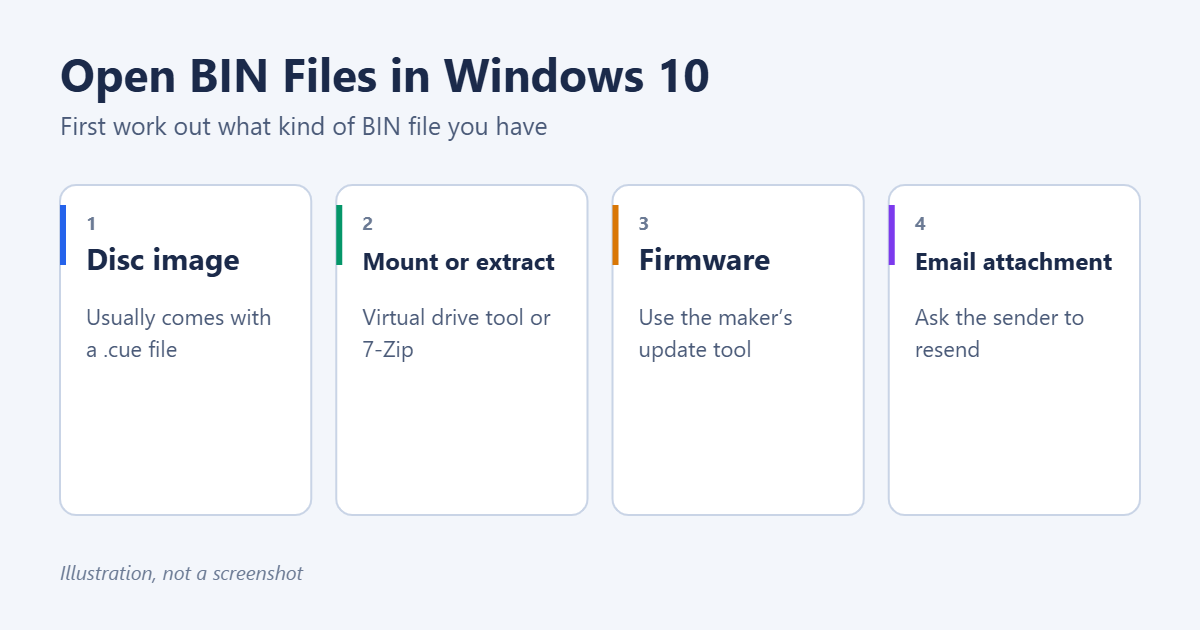
Step 1: Work out what kind of BIN file you have
First, make sure Windows shows file extensions, so you can see the full name. In File Explorer, open the View tab and tick File name extensions. See how to show file extensions in Windows 10.
| Clue | Probably | What to do |
|---|---|---|
| A .cue file with the same name, or a size of hundreds of MB | CD/DVD disc image | Mount, extract or convert (below) |
| Downloaded from a router, printer, TV or motherboard support page | Firmware | Use the manufacturer’s update instructions |
| Attached to an email, often named ATT00001.bin | An attachment that wasn’t decoded properly | Ask the sender to resend it |
| Found inside a program’s folder | Data that the program uses | Leave it alone |
| Downloaded with an older game or emulator | A game image or ROM | Open it in the matching emulator |
Before you open any BIN file you downloaded, right-click it and choose Scan with Microsoft Defender. Never rename a BIN file to .exe and run it.
Disc images: three ways to open them
A BIN disc image is a sector-by-sector copy of a CD or DVD. The small .cue file next to it is a plain text “map” that lists the tracks. Keep the two files together in the same folder. Windows 10 can mount ISO files on its own, but it can’t mount BIN/CUE images, so you need one of the methods below.
Method 1: Mount it as a virtual drive
Mounting makes Windows treat the image like a real disc in a drive. This is the best option for installers and games that expect a disc.
- Install a free virtual drive tool that supports BIN/CUE, such as WinCDEmu. Download it only from the developer’s official website.
- Right-click the .cue file (or the .bin file if there’s no cue) and choose the tool’s Mount or Select drive letter & mount option.
- Open This PC. The image appears as a new DVD drive. Double-click it to browse or run setup.
- When you’ve finished, right-click the virtual drive and choose Eject.
Method 2: Extract the files with 7-Zip
If you just want the files inside, an archive tool may be able to open the image directly.
- Install 7-Zip from its official website.
- Right-click the .bin file and choose 7-Zip > Open archive.
- If the file list appears, select what you need and click Extract.
This works with many data disc images, but not with audio CDs or some game discs that use special formats. If 7-Zip says it can’t open the file, use Method 1 or 3. For more on 7-Zip, see how to open a .7z file in Windows 10.
Method 3: Convert BIN to ISO
Converting the image to ISO lets you use Windows’ built-in mounting, which works with a double-click.
- Use a disc image tool that can convert BIN/CUE to ISO. Several free ones are available. Download them from the developer’s site and decline any bundled extras during setup.
- Open the .cue file in the tool and save or convert it as .iso.
- Double-click the new ISO, or right-click it and choose Mount.
Conversion works best for data discs. Audio tracks and some copy-protected games don’t convert cleanly, so mount those instead. For more on ISO files, see how to mount an ISO file in Windows 11. The steps are the same on Windows 10.
Burn it to a real disc
If you need a physical CD or DVD, for example for an older machine, open the .cue file in a burning tool that supports BIN/CUE and write it to a blank disc. The Windows 10 built-in disc burner only works with ISO and IMG files.
Firmware BIN files
Routers, printers, TVs, cameras, game controllers and motherboards often use .bin files for firmware updates. Don’t try to open these. Follow the instructions on the manufacturer’s support page instead. That usually means one of these:
- Uploading the file in the device’s web settings page, which is common for routers.
- Copying it to a USB drive with a specific file name, which is common for motherboards and TVs.
- Running the manufacturer’s update utility.
Make sure the file exactly matches your model. Don’t turn the device off during the update. A wrong or interrupted firmware update can leave the device unusable.
BIN email attachments
If someone sent you a document or photo and it arrived as ATT00001.bin or similar, the email program didn’t decode the attachment correctly. Usually the sender’s mail app is the cause, not your computer. Ask the sender to resend the file, ideally as a zip or a shared link. Renaming it to .pdf or .jpg sometimes works if you know what the file should be, but it often doesn’t, and you should scan it first.
Look inside any BIN file
If you’re curious what an unknown BIN file contains, open it in a free hex editor. The first few bytes often reveal the real type. For example, %PDF means a PDF, PK means a zip file, and CD001 near the start points to a disc image. Notepad will open it too, but most of what you see will be unreadable characters.
Troubleshooting
“The disc image file is corrupted”
This message usually appears when you try to mount a BIN with Windows’ built-in tool. Use a virtual drive tool or convert the file to ISO first.
The mounted image has no audio or the game won’t start
Mount the .cue file rather than the .bin file, so all the tracks are included. Check that the file names inside the .cue file match the BIN file names exactly.
I only have a .bin file and no .cue
Many tools can still mount a single-track BIN file. For multi-track discs, you can create a .cue file in Notepad if you know the track layout, but it’s often easier to find the original download again.
Frequently asked questions
Can Windows 10 open BIN files without extra software?
Not disc images. Windows can mount ISO files on its own, which is why converting the file to ISO is a handy workaround.
Are BIN files dangerous?
A disc image can contain programs, so treat it like any download. Scan it and only run software from sources you trust.
What if the BIN file is a virtual machine disk?
Virtual machines use other formats, such as VMDK or VHD. See how to open a VMDK file in Windows 10 and how to set up a virtual machine on Windows 10.
Summary
- Turn on file extensions and work out what kind of BIN file you have.
- For disc images, mount the .cue file with a virtual drive tool, extract it with 7-Zip, or convert it to ISO.
- For firmware, follow the device manufacturer’s instructions.
- For BIN email attachments, ask the sender to resend the file.
Related: How to Open a .pages File on Windows 10.

Matt Jacobs has been working as an IT consultant for small businesses since receiving his Master’s degree in 2003. While he still does some consulting work, his primary focus now is on creating technology support content for SupportYourTech.com.
His work can be found on many websites and focuses on topics such as Microsoft Office, Apple devices, Android devices, Photoshop, and more.